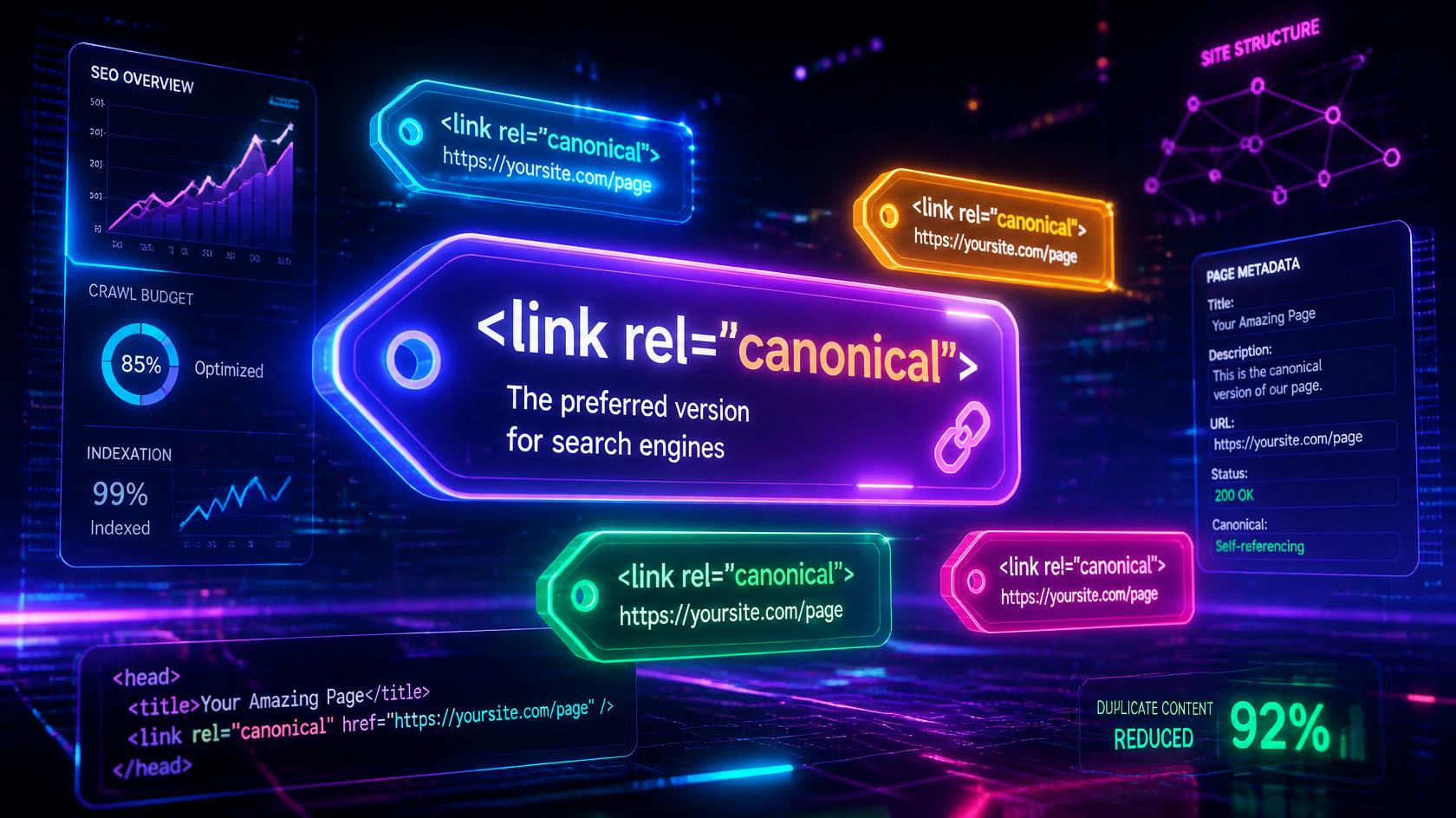
What Is a Canonical Tag? (Definition & Purpose)
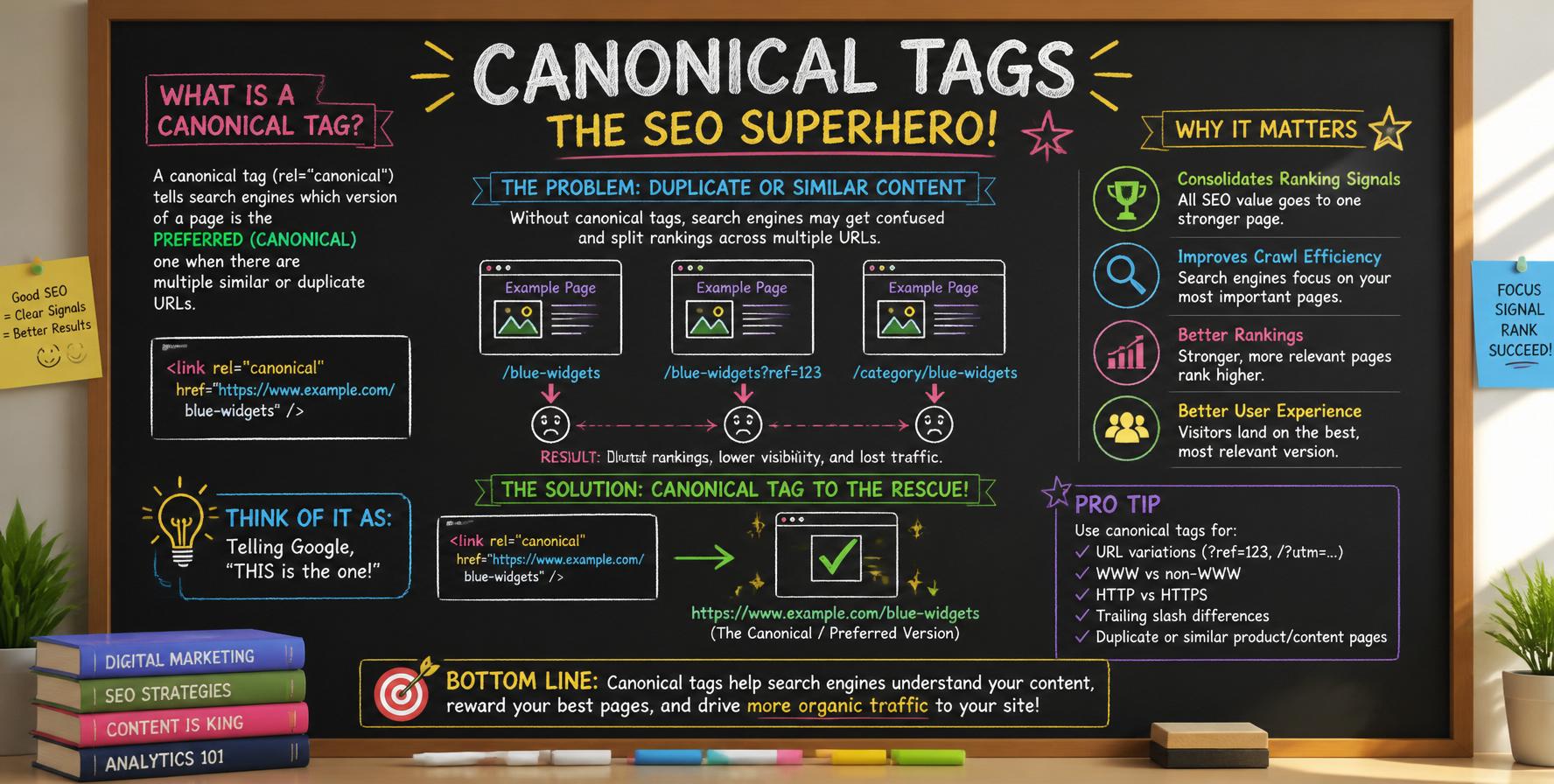
A canonical tag (formally known as rel="canonical") is an HTML element that communicates to search engines which URL represents the master copy or preferred version when multiple pages contain identical or highly similar content. This powerful SEO tool serves two primary purposes: resolving duplicate content issues and consolidating link equity (ranking authority) to a single, authoritative URL.
The canonical tag is placed within the <head> section of a webpage and follows this syntax:
<link rel="canonical" href="https://example.com/preferred-page/" />
How search engines interpret canonical tags:
- Hint vs Directive: Canonical tags function as strong hints rather than absolute commands. Search engines generally respect them but may override canonical signals if they detect technical inconsistencies or contradictory signals.
- Indexing Signal: When search engine crawlers encounter a canonical tag, they prioritize the specified URL for indexing and ranking purposes.
- Link Equity Consolidation: All ranking signals (backlinks, PageRank, authority) from duplicate pages are attributed to the canonical URL.
- Crawl Optimization: Canonical tags help search engines allocate crawl budget more efficiently by reducing redundant crawling of duplicate pages.
Strategic Insight: While canonical tags are recommendations to search engines, major search engines including Google, Bing, and Yandex consistently honor them when properly implemented. Correct canonicalization is essential for maintaining a healthy SEO architecture.
Why Canonical Tags Are Critical for SEO?
Canonical tags deliver substantial SEO advantages across multiple dimensions. Understanding these benefits is fundamental to developing an effective technical SEO strategy:
1. Duplicate Content Mitigation
Search engines struggle to determine which version of identical or similar content to index and rank. This confusion can lead to keyword cannibalization, where multiple pages compete for the same search terms, diluting overall ranking potential. Canonical tags eliminate this ambiguity by explicitly designating the preferred version.
2. Link Equity Consolidation
When multiple URLs attract backlinks, the associated ranking authority becomes fragmented across versions. Canonical tags consolidate this PageRank and link equity to a single URL, maximizing its ranking potential and improving domain authority.
3. Enhanced Crawl Efficiency
Search engines allocate finite crawl budgets to websites. By consolidating duplicate pages, canonical tags enable crawlers to focus resources on indexing unique, valuable content rather than processing redundant variations.
4. Improved User Experience
Consistent canonicalization ensures users encounter predictable, stable URLs in search results, reducing the likelihood of 404 errors and enhancing engagement metrics like bounce rate and time on site.
5. Granular Indexation Control
Canonical tags grant webmasters precise control over which content versions appear in search results, enabling strategic content presentation aligned with business objectives and target keyword strategies.
How Canonical Tags Work: Technical Explanation
Understanding the technical mechanics of canonical tags helps ensure correct implementation:
The Process:
- Search Engine Crawling: When a search engine bot crawls a webpage, it reads the
<head>section and identifies any canonical tag present. - Signal Interpretation: The bot records the canonical URL specified in the
hrefattribute as the preferred version. - Indexing Decision: During indexing, the search engine prioritizes the canonical URL for inclusion in its search index.
- Ranking Signal Consolidation: Any ranking signals (backlinks, authority) from the duplicate page are attributed to the canonical URL.
- Search Result Display: The canonical URL is displayed in search results, while duplicate pages are typically omitted or shown less prominently.
Self-Referencing Canonical Tags
A self-referencing canonical tag is one that points to the page itself. This is considered a best practice for all canonical pages because:
- It reinforces the page's authoritative status to search engines.
- It prevents potential duplicate content issues from URL parameters, tracking codes, or session IDs.
- It provides a clear signal when other pages link to variations of the same URL.
<!-- On: https://example.com/preferred-page/ -->
<link rel="canonical" href="https://example.com/preferred-page/" />
Technical Best Practice: Always utilize absolute URLs (complete paths including protocol and domain) in canonical tag href attributes. Relative URLs can introduce ambiguity and potential indexing complications.
Implementation Methods for Canonical Tags
Several implementation approaches exist for applying canonical tags across your website. The optimal method depends on your technical infrastructure and content management system:
Method 1: HTML Canonical Tag Implementation
This is the most common and straightforward method. Add the canonical tag within the <head> section of your HTML document:
<head>
  <link rel="canonical" href="https://example.com/canonical-page/" />
</head>
Method 2: HTTP Header Canonical Implementation
For non-HTML content such as PDF documents, images, or other binary files, implement canonicalization through HTTP response headers:
Link: <https://example.com/preferred-page/>; rel="canonical"
Method 3: WordPress Plugin Implementation
For WordPress websites, leading SEO plugins such as Yoast SEO and RankMath automatically generate and manage canonical tags. These plugins provide intuitive interfaces for customizing canonical URLs on individual posts, pages, and archive templates.
Method 4: Sitemap Integration
While not a direct implementation method, exclusively including canonical URLs within your XML sitemap reinforces the canonical signals and helps search engines prioritize the preferred versions.
Practical Implementation Examples
These real-world examples illustrate canonical tag implementation across various scenarios:
Example 1: E-commerce Product Variants
When a product has multiple variations (size, color), each variant URL should canonicalize to the main product page:
<!-- On: https://example.com/products/blue-tshirt?color=blue&size=m -->
<link rel="canonical" href="https://example.com/products/blue-tshirt" />
Example 2: Blog Posts with UTM Tracking Parameters
Marketing campaign URLs with UTM parameters should canonicalize to the clean URL:
<!-- On: https://example.com/blog/seo-tips?utm_source=facebook -->
<link rel="canonical" href="https://example.com/blog/seo-tips" />
Example 3: Cross-Domain Content Syndication
When syndicating content across multiple domains, cross-domain canonical tags credit the original source:
<!-- On: https://syndicated-site.com/article -->
<link rel="canonical" href="https://original-site.com/original-article" />
Common Use Cases & Scenarios
Canonical tags prove essential in numerous scenarios. These common use cases demonstrate their versatility:
Product Variations
E-commerce platforms with size, color, or configuration variations of identical products.
Filtered & Sorted Category Pages
Category pages with sorting, filtering, or pagination parameters generating duplicate content.
Tag & Category Archive Pages
WordPress tag and category archives that produce multiple URLs with overlapping content.
Paginated Content Series
Content split across multiple pages (page/2/, page/3/) requiring proper canonicalization.
Content Syndication
Republished content across partner websites requiring attribution to original source.
Print & Mobile Versions
Separate print-optimized or mobile-specific versions of the same content.
HTTP vs HTTPS Migration
During protocol migration, canonical tags help transition ranking authority to HTTPS.
www vs non-www Resolution
Resolving the canonical domain preference between www and non-www versions.
Session IDs & Tracking Parameters
URLs containing session identifiers or tracking codes that generate duplicate content.
Internationalization (Hreflang)
Combining canonical tags with hreflang annotations for multilingual content.
Common Implementation Mistakes to Avoid
Canonical tag misconfigurations can undermine your SEO efforts. Avoid these critical pitfalls:
- Relative URL Usage: Always employ absolute URLs (complete with protocol and domain) in canonical href attributes. Relative paths can introduce ambiguity and indexing complications.
- Non-Indexable Canonical Targets: Never point canonical tags to pages that are blocked by robots.txt, contain noindex directives, or return 404/410 status codes. This creates conflicting signals.
- Multiple Canonical Tags: Each page must contain exactly one canonical tag. Multiple instances create confusion and may cause search engines to disregard the signal.
- Canonical Chains: Avoid creating chains (Page A → Page B → Page C). Always canonicalize directly to the ultimate preferred version to maintain signal clarity.
- Self-Referencing Canonical Omission: Every canonical page should include a self-referencing canonical tag to reinforce its authoritative status and prevent parameter-based duplicates.
- Cross-Domain Canonical Without Permission: Cross-domain canonicalization requires explicit permission or ownership of both domains. Unauthorized implementation may result in content disputes.
- Paginated Content Mismanagement: For multi-page articles, use rel="prev" and rel="next" in conjunction with canonical tags pointing to the first page or a view-all page.
- Ignoring Protocol Variations: Inconsistent use of HTTP vs HTTPS in canonical URLs creates duplicate content issues. Always canonicalize to the HTTPS version when implemented.
Pro Tip: Leverage Google Search Console's URL Inspection tool to verify canonical tag recognition. The tool displays the "Google-selected canonical," providing confirmation of search engine interpretation.
Canonical vs 301 Redirect vs Noindex: Key Differences
Understanding the distinctions between canonical tags and alternative duplicate content resolution methods enables informed technical decisions:
| Method | Description | Optimal Application |
|---|---|---|
| Canonical Tag (rel="canonical") | Signals preferred URL while maintaining accessibility of all versions | When retaining multiple accessible URLs while consolidating ranking signals |
| 301 Redirect | Permanent URL redirection for users and search engines | When permanently retiring URLs or consolidating sites |
| Noindex Meta Tag | Prevents page indexation while allowing crawlability | Excluding low-value pages from search results (e.g., thin content, admin pages) |
| Robots.txt Disallow | Blocks search engine crawling of specified directories | Preventing crawl access to non-content resources (e.g., images, scripts, private areas) |
| Sitemap Exclusion | Omitting URLs from XML sitemaps | Reinforcing canonical choices through supplementary signals |
Strategic Selection Guide:
- Employ canonical tags when preserving user access across multiple URLs while designating a preferred version for search engines.
- Implement 301 redirects for permanent content relocation requiring both user and search engine redirection.
- Apply noindex for pages inappropriate for search visibility (e.g., duplicate content, low-value pages, internal resources).
- Utilize robots.txt for blocking access to assets like images, CSS files, or administrative directories.
Testing & Validation Tools
Validate and monitor your canonical tag implementation using these essential tools:
| Tool | Primary Function | Ideal Application |
|---|---|---|
| Google Search Console (URL Inspection) | Canonical verification | Confirming Google's selected canonical and resolving indexing issues |
| SEO Meta in 1 Click (Browser Extension) | On-page SEO analysis | Quickly inspecting canonical tags and meta data on any page |
| Screaming Frog SEO Spider | Site-wide crawling | Auditing canonical tags across all pages to identify inconsistencies |
| Google Search Console (Coverage Report) | Indexing monitoring | Tracking indexation status and identifying duplicate content issues |
| Ahrefs Site Audit | Comprehensive SEO audit | Detecting canonical tag issues and duplicate content across your site |
| Semrush Site Audit | Technical SEO analysis | Identifying canonical tag errors and duplicate content problems |
Frequently Asked Questions About Canonical Tags
Addressing common inquiries regarding canonical tags and duplicate content management.
A canonical tag (rel="canonical") is an HTML element that communicates the preferred URL version to search engines when duplicate or similar content exists across multiple URLs. It consolidates link equity and signals the authoritative version for indexing.
Canonical tags are not a direct ranking factor. However, they play a crucial indirect role by consolidating link equity, preventing duplicate content dilution, and ensuring ranking signals concentrate on a single authoritative URL.
Utilize Google Search Console's URL Inspection tool to view the "Google-selected canonical." Additionally, browser extensions like SEO Meta in 1 Click and tools like Screaming Frog facilitate comprehensive canonical tag audits.
Yes, cross-domain canonical tags are supported and commonly used for content syndication. The canonical tag on the syndicated page should point to the original URL. Ensure you have the necessary permissions before implementing cross-domain canonicalization.
A 301 redirect permanently forwards users and search engines from one URL to another. A canonical tag maintains accessibility of all URLs while signaling the preferred indexing version. Use 301 redirects for permanent content moves and canonical tags for duplicate content management.
Yes, implementing a self-referencing canonical tag (canonical pointing to the page itself) is strongly recommended. This practice reinforces the page's authoritative status and prevents potential duplicate content issues from URL parameters or tracking codes.
Using multiple canonical tags on a single page creates confusion for search engines and typically results in the signal being disregarded. Always ensure each page contains exactly one canonical tag to maintain signal clarity.
Ready to Master Technical SEO?
Explore our comprehensive collection of Technical SEO guides to optimize your website for search engines and drive sustainable organic growth.
Access All Technical SEO Guides →